TI Emulation, Functions in Brass and Gemini on the Sega Game Gear
Tuesday, 13th February 2007
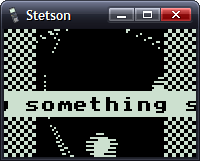
This post got me wondering about a TI emulator. I'd rather finish the SMS one first, but so as to provide some pictures for this journal I wrote a T6A04 emulator (to you and me, that's the LCD display driver chip in the TI-82/83 series calculators). In all, it's less than a hundred lines of code.
The problem with TI emulation is that one needs to emulate the TIOS to be able to do anything meaningful. Alas, I had zero documentation on the memory layout of the TI calculators, and couldn't really shoe-horn the ROM dump into a 64KB RAM, so left it out entirely. That limits my options as to what I can show, but here's my Microhertz demo -
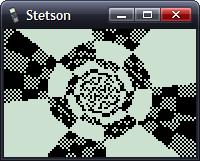
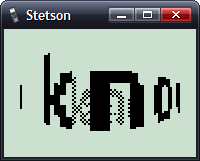
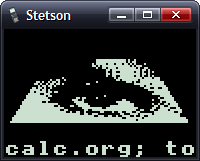
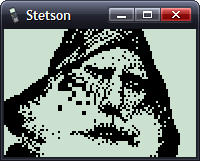
I've added native support for functions in Brass.
The old Brass could do some function-type things using directives; for example, compare the two source files here:
.fopen fhnd, "test.txt"          ; Opens 'test.txt' and stores a handle in fhnd
.fsize fhnd, test_size           ; Stores the size of the file in test_size

.for i, 1, test_size
    .fread fhnd, chr             ; Read a byte and store it as "chr"
    .if chr >= 'a' && chr <= 'z' ; Is it a lowercase character?
        .db chr + 'A' - 'a'
    .else
        .db chr
    .endif
.loop

.fclose fhnd                      ; Close our file handle.
I personally find that rather messy. Here's the new version, using a variety of functions from the 'File Operations' plugin I've been writing:
fhnd = fopen("test.txt", r)

#while !feof(fhnd)
    chr = freadbyte(fhnd)
    .if chr >= 'a' && data <= 'z'
        .db chr + 'A' - 'a'
    .else
        .db chr
    .endif
#loop

fclose(fhnd)
I find that a lot more readable.
An extreme example is the generation of trig tables. Brass 1 uses a series of directives to try and make this easier.
.dbsin angles_in_circle, amplitude_of_wave, start_angle, end_angle, angle_step, DC_offset
Remembering that is not exactly what I'd call easy. If you saw the line of code:
.dbsin 256, 127, 0, 63, 1, 32
...what would you think it did? You'd have to consult the manual, something I'm strongly opposed to. However, this code, which compiles under Brass 2, should be much clearer:
#for theta = 0, theta < 360, ++theta
    .db min(127, round(128 * sin(deg2rad(theta))))
#loop
By registering new plugins at runtime, you can construct an elaborate pair of directives - in this case .function and .endfunction - to allow users to declare their own.
_PutS = $450A

.function bcall(label)
    rst $28
    .dw label
.endfunction

bcall(_PutS)
You can return values the BASIC way;
.function slow_mul(op1, op2)
    slow_mul = 0
    .rept abs(op1)
        .if sign(op1) == 1
            slow_mul += op2
        .else
            slow_mul -= op2
        .endif
    .loop
.endfunction

.echo slow_mul(log(100, 10), slow_mul(5, 4))
I had a thought (as you do) that it would be interesting to see how well a TI game would run on the Sega Master System. After all, they share the CPU, albeit at ~3.5MHz on the SMS.
However, there are some other differences...
- Completely different video hardware.
- Completely different input hardware.
- 8KB RAM rather than 32KB RAM.
- No TIOS.
The first problem was the easiest to conquer. The SMS has a background layer, broken up into 8×8 tiles. If I wrote a 12×8 pattern of tiles onto the SMS background layer, and modified the tile data in my own implementation of _grBufCpy routine, I could simulate the TI's bitmapped LCD display (programs using direct LCD control would not be possible).
You can only dump so much data to the VRAM during the active display - it is much safer to only write to the VRAM outside of the active display period. I can give myself a lot more of this by switching off the display above and below the small 96×64 window I'll be rendering to; it's enough to perform two blocks, the left half of the display in one frame, the right in the next.
As for the input, that's not so bad. Writing my own _getK which returned TI-like codes for the 6 SMS buttons (Up, Down, Left, Right, 1 and 2) was fine, but games that used direct input were a bit stuck. I resolved this by writing an Out1 and In1 function that has to be called and simulates the TI keypad hardware, mapping Up/Down/Left/Right/2nd/Alpha to Up/Down/Left/Right/1/2.
The RAM issue can't be resolved easily. Copying some chunks of code to RAM (for self-modifying reasons) was necessary in some cases. As for the lack of the TIOS, there's no option but to write my own implementation of missing functions or dummy functions that don't do anything.
Even with the above, it's still not perfect. If I leave the object code in Gemini, the graphics are corrupted after a couple of seconds of play. I think the stack is overwriting some of the code I've copied to RAM.
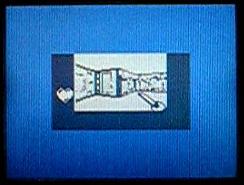
No enemies make it a pretty bad 'game', but I thought it was an entertaining experiment.
Sega Tween
Thursday, 1st February 2007
No updates for a while, I'm afraid - things have been pretty hectic.

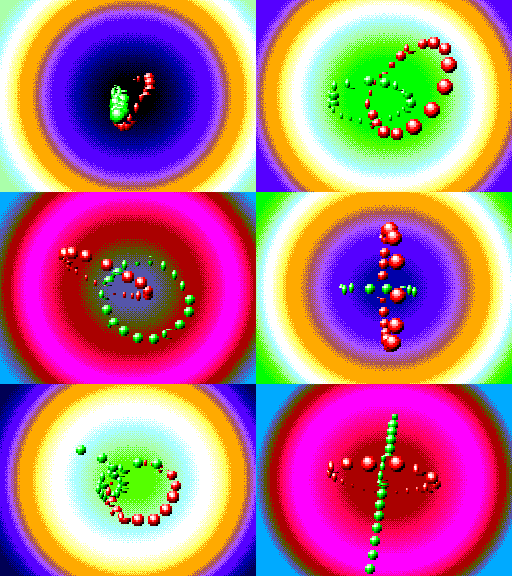
I packaged up and released the Sega Tween demo I'd been working on. As you can see, I added an SMS and a 3D mode - this works with the SMS 3D glasses. The extra 3D is quite cheap to calculate - shift the rotated X coordinates one way for one eye, then the other way for the other eye. After projection to the screen they need to be shifted back a little way to re-centre, but it works quite well.

However, I had neglected the fact that the SMS1 (which has the card slot, and hence the model that supports the 3D glasses) had a bug in the VDP and as such only supports four zoomed sprites per scanline. I added this glitch to the emulator;
In other news, I've done a small amount of work on Brass. It's quite embarrassing, really, how slow the old version is. Assembling this file:
.rept 9000
	ld a,1
.unsquish
	ld a,2
.squish
	ret
.loop
...produces this in old Brass:
Brass Z80 Assembler 1.0.4.9 - Ben Ryves 2005-2006
-------------------------------------------------
Assembling...
Pass 1 complete. (2093ms).
Pass 2 complete. (22062ms).
Writing output file...
Errors: 0, Warnings: 0.
Done!
Nearly half a minute! New Brass does a much better job of syntax parsing and caching...
Brass Assembler - Copyright © Bee Development 2005-2007
-------------------------------------------------------
ZiLOG Z80 - Copyright © Bee Development 2005-2006
TI Program Files - Copyright © Bee Development 2005-2006
Core Plugins - Copyright © Bee Development 2005-2006

Parsing source...
Building...
Writing output...
Time taken: 484.38ms.
Done!
Down to just under half a second. That's almost a 50× speed increase!
Parallel-Port SMS Control Pad
Monday, 15th January 2007
I've been wanting to attach an SMS control pad to my PC (and be able to use it to play games with) for a while, so put in an order from those excellent chaps at Rapid for the parts needed.
The joypad (as I've now learned from disassembly) is very primitive - 6 normally-open switches, each connected between a pin on the DE-9 connector and ground. The accepted layout adapter uses the 25-pin parallel port, connecting ground to pin 18, power to pin 1 (not that the control pad uses this pin) and 7 further connections from D0 to D6 for the buttons.

Master System Control Pad and a poorly-soldered DB-25 to DE-9 adapter.
I had been assured that the data lines on parallel ports (D0..D7) were pulled up, and so the layout seemed easy enough - D0..D6 will return highs normally, and when a button is pressed it is connected to ground.
Unfortunately, for whatever reason the data lines on the parallel port on my PC are not pulled up, at least not in any way that I can find to control. However, if you set the lines to be outputs (using bit 5 of the control register), set them all high, then flip them to inputs, they'll read as highs for a while until they float (slowly) back low again. I've used this to my advantage, and so have this:
/// <summary>Flags corresponding to which buttons are pressed.</summary>
[Flags]
public enum Buttons {
    None = 0x00,
    Up = 0x01,
    Down = 0x02,
    Left = 0x04,
    Right = 0x08,
    Button1 = 0x10,
    Button2 = 0x20,
    All = 0x3F,
}

// Retrieve the status of the port.
private Buttons GetRawStatus() {
    // Set D0..D7 as outputs.
    Output(this.BaseAddress + 2, 0x00);
    // Set them high:
    Output(this.BaseAddress + 0, 0xFF);
    // Set D0..D7 as inputs.
    Output(this.BaseAddress + 2, 0x20);
    // Retrieve, invert and mask the data lines.
    return (Buttons)(~(Input(this.BaseAddress + 0)) & (int)Buttons.All);
}
This works very well, with one small problem: nothing is debounced, so pressing any button causes 10 or so press/release actions to be detected until the contacts settle. Therefore, the exposed method for retrieving the status is this:
/// <summary>Gets the status of the buttons from the connected SMS joypad.</summary>
/// <returns>The status of the buttons.</returns>
public Buttons GetStatus() {
    if (!this.Debounced) {
        return GetRawStatus();
    } else {
        Buttons Last = GetRawStatus();
        Buttons Current;
        int MaximumIterations = 100;
        while (((Current = GetRawStatus()) != Last) && (MaximumIterations-- > 0)) {
            Last = Current;
            Thread.Sleep(0);
        }
        return Current;
    }
}
For some strange reason, this doesn't quite work; after a while (or rebooting, or reading/writing the EPP registers) the port starts reading nothing but zeroes again. Running another piece of software that uses the parallel port fixes it.
One missing feature of the emulator was support for the SMS pause button. This button is attached to the Z80's non-maskable interrupt line, so pressing it results in the CPU pushing the program counter to the stack then jumping to $0066.
For most games the pause button just pauses the game, but for some others it will display a menu - such as in Psycho Fox, which lets you use the items you have collected to change animal or use a power-up.

Psycho Fox's in-game menu
One major long-standing bug in the emulator has been interrupt handling by the CPU. I think I've (finally!) got it, though it's still not entirely perfect. How I've set it up now is that a flag is set - IntPending or NmiPending, depending on whether the maskable or non-maskable interrupt pin has been modified - when the interrupt is requested, and cleared when it's been handled.


Japanese Master System BIOS
I have updated the memory emulation to better support BIOS ROMs. Initially, the "Majesco" Game Gear BIOS and some of the "Snail Maze" SMS BIOS worked (though the SMS BIOS would display "Software Error" on several games). I've tested a few of them and they seem to work pretty well.

Hang On and Safari Hunt
Whilst the Japanese BIOS has (in my opinion) the best final effect, it's the M404 prototype BIOS that has the best effect overall:

Sega BASIC
Monday, 8th January 2007

I have returned to the MDI view for this project which makes life easier when it comes to putting in debugging tools. For the moment all there is is a palette and tile viewer, but I hope to add some helpful utilities - and work out a way to tie the new Brass and an emulator together for debugging assembly programs.
I've extended the SG-1000 emulation some way towards the SC-3000 (Sega Game 1000 vs. Sega Computer 3000) which has mainly involved adding keyboard emulation. The result is the ability to run Sega BASIC, and so you get the obligatory program that everyone writes sooner or later...

There is no tape drive emulation, and I'd like to ideally emulate the SF-7000's floppy drive and disk BASIC, but don't quite follow the datasheets I've read thus far (or rather, how everything is tied together).
In the first screenshot you might have noticed that the video output window has "Altered Beast (h) [A]" in the caption. I've added ROM library support, and am currently using the data from the .romdata files arranged by Maxim for his SMS Checker utility. As well as identify a name, there is a more important reason to use the database - it can identify dodgy dumps and be used to correct them (in this case, Altered Beast has an additional header - hence the (h) - that needs to be removed).
SG-1000
Wednesday, 3rd January 2007
I've added some support for the SG-1000, Sega's first? home video game console.

The Master System's VDP is a modified TMS9918, and so most Master System games run in its extended 'Mode 4' setting. That was the only video mode, therefore, that I'd emulated in any form.
For some reason, the older computer games are, the more charm they seem to have to me (maybe because the first games I played would have been on a BBC Micro, which certainly looked a lot more primitive than the Master System games I've been attempting to emulate thus far). I dug out TI's TMS9918 documentation - the differences are quite significant! Tiles are monochrome (though you can pick which foreground and background colour is in use - to some extent), the palette is fixed to 16 pre-defined colours (one of which being 'transparent') and sprite sizes and collisions are handled differently. Various features found in the Master System's VDP (scrolling, line-based interrupts) also appear to be missing from the 'vanilla' TMS9918, but I'm not sure whether or not they make an appearance in the SMS variation of the VDP or not, along with the original TMS9918 limitations.

Flipper
At any rate, the emulator now has a 'SG-1000' mode. The only differences at the moment are that the TMS9918 palette is used and line interrupts are disabled, so you can still (for example) use mode 4 on it.


From first to last: Drol, Choplifter, Hustle Chummy, Championship LodeRunner, Space Invaders, H.E.R.O., Elevator Action, and Zaxxon.
All but one of the SG-1000 games I had ran - and that was The Castle. According to meka.nam, this has an extra 8KB of onboard RAM. Whilst doing some research into the SG-1000 and the TMS9918, I found a forum post by Maxim stating "The Castle runs nicely on my RAM cart :)". Enter the new ROM mapper option to complement Standard, Codemasters and Korean - it's the RAM mapper, which simply represents the entire Z80 address range with a 64KB RAM.


That seems to have done the trick!
I mentioned that the palette was different in the SMS VDP and the original TMS9918 - here's an example (SMS on the left, SG-1000 on the right):


I'm assuming this is the result of truncating the TMS9918 palette to the SMS 6-bit palette without needing to implement two palette modes on the new VDP. Another comparison is between two versions of Wonder Boy - SMS on the left again, SG-1000 on the right:

