Sound, at long last.
Friday, 7th March 2008
I have finally got around to adding sound to Cogwheel using Ianier Munoz's waveOut API wrapper.
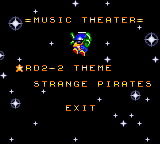
The technique used is fairly simple. I start with a sound buffer that is a multiple a number of video frames in length (1/60th of a second is one frame) - four seems a good number. This buffer needs to be periodically topped up with sound samples (every four frames in the above example).
I run the emulator for one frame, then generate a frame's worth of audio. I add these samples to a queue. The sound callback then periodically dequeues these samples and appends them to its buffer.
// This is called once every video frame.
// 735 samples at 44100Hz = 1/60th second.
// (Multiplied by two for stereo).
this.Emulator.RunFrame();
short[] Buffer = new short[735 * 2];
this.Emulator.Sound.CreateSamples(Buffer);
this.GeneratedSoundSamples.Enqueue(Buffer);
The important thing is that the sound is always generated after the video frame (and thus after any hardware writes). I log writes to the sound hardware over the period of a frame (along with the number of CPU cycles that have elapsed), then space them out when generating the sound samples so that they play in synch. My previous problems were caused by the sound emulation trying to "look ahead" past what had already been generated.
However, there is a potential problem with this - as the video and sound emulation are not locked in synch with eachother, there are two cases that could crop up:
- The emulator runs faster than 60Hz, generating too many sound samples.
- The emulator runs slower than 60Hz, not generating enough sound samples.
The first is the easiest to deal with. In most instances you'd want a couple of extra frames of sound data left in the queue after topping up the sound buffer, in case in the next period not enough are generated. However, if I notice that the queue is longer than entire sound buffer after topping it up, I clear it completely. This would make the sound a little choppy, but so far this hasn't happened in my tests.
The latter is a little more complex. If I just left it the sound buffer would have gaps in it, causing noticable pops (this I have noticed in some of the more processor-intensive games). To cover up the gaps, I generate enough extra frames of sound data to fill the gap. As no sound hardware writes are made, this has the effect of extending any tones that were currently playing, so the sound will play back slightly out of time. However, slightly out of time by a few 60ths of a second is a better solution than a pop.
// This is called when the sound buffer needs topping up.
// That's about once every four frames.
private void SoundBufferFiller(IntPtr data, int size) {

	// Temporary buffer to store the generated samples.
	short[] Generated = new short[size / 2];

	for (int i = 0; i < Generated.Length; i += 735 * 2) {
		if (this.GeneratedSoundSamples.Count > 0) {
			// We've already queued up some sound samples.
			Array.Copy(this.GeneratedSoundSamples.Dequeue(), 0, Generated, i, 735 * 2);
		} else {
			// Erk, we're out of samples... force generate some more and use those instead.
			// (This avoids popping).
			short[] Temp = new short[735 * 2];
			this.Emulator.Sound.CreateSamples(Temp);
			Array.Copy(Temp, 0, Generated, i, 735 * 2);
		}
	}

	// Copy to the sound buffer.
	Marshal.Copy(Generated, 0, data, size / 2);

	// If too many samples are being generated (FPS > 60Hz) then make sure it doesn't go out of control.
	while (this.GeneratedSoundSamples.Count > this.SoundBufferSizeInFrames) this.GeneratedSoundSamples.Dequeue();

}
Joysticks and Game Genie codes
Monday, 3rd March 2008
The biggest update to the emulator relates to input.
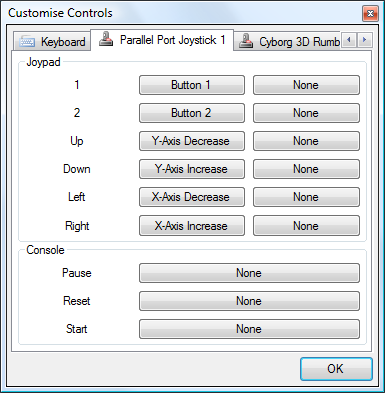
I've added a new control panel that lets you customise key bindings. For the keyboard, you simply click on the button you wish to customise, then press the key on your keyboard you wish to bind. As you can probably tell from the screenshot, I've also added joystick support (via the Multimedia Joystick Functions with a bit of P/Invoke for ease) which means that with a simple adapter and a free driver you can use original SMS pads with the emulator.
I haven't added support for the POV hat, which needs doing as the PPJoy PlayStation controller driver exposes the d-pad as a POV hat.
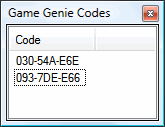
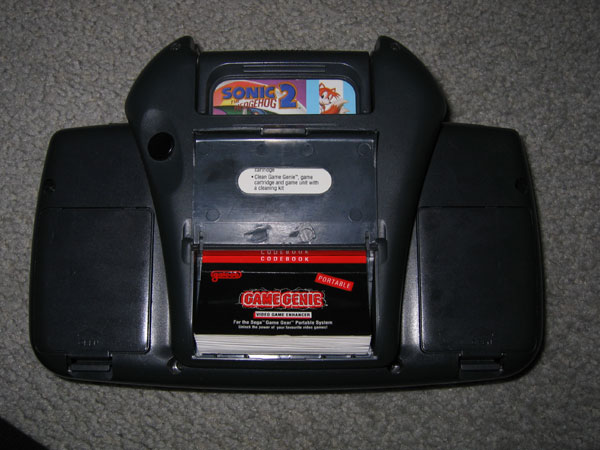
I've also added an interface for adding Game Genie codes. The Game Genie was a cheating device that could be used to patch memory.
I have also started reintroducing (albeit in a slightly buggy fashion) multiple memory devices. Previously I've just been emulating a cartridge ROM and work RAM; the real consoles had multiple memory devices including a card slot, ROM BIOS and expansion slots. By emulating this system one can boot with the original BIOS, and (for example) not insert a cartridge to watch the BIOS animation or play its integrated game.
For ease, there's a quick-load ROM menu option that will load anything into the cartridge slot and disable all others for quick game playing. For those who wish to play with the hardware more, there's an "advanced load" dialog that will let you pick what goes in which slot, and also force various options (such as locale, hardware model, video system and so on) instead of the automatically guessed options. I'd also like it to be able to pick patch files (such as translations) so you don't need to use an external tool. Currently this dialog only supports cartridge ROM and BIOS ROM loading, though.
Cogwheel on Google Code
Sunday, 24th February 2008
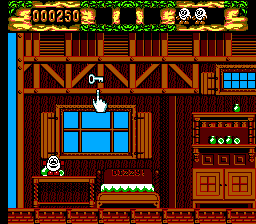
On bakery2k1's suggestion, I took a look at my sprite collision flag code. It only checked for collisions between sprites appearing in the foreground - sprites that were hidden behind a background tile weren't checked, which caused the Fantastic Dizzy bug.
I have decided to give Google's free project hosting a whirl. As usual, they can't get it working in Opera  (no big surprises there) and it's horrifically slow, but I can't really complain given that it's free, and the issue tracking is pretty handy.
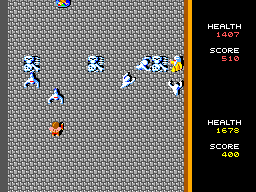
Another game that has been fixed is the conversion of that arcade classic, Gauntlet. This was partially due to buggy controller port emulation, but a long-standing bug has been the lack of the y-scrolling inhibition flag. Games could set a flag on the VDP that would prevent the rightmost 64 pixels from scrolling vertically - this is useful to create a locked status bar on the right for a vertical scrolling game, for example.
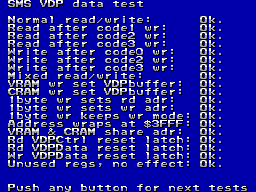
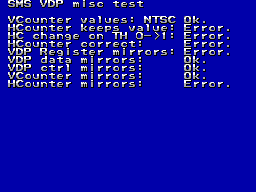
I'm slowly getting there with FluBBa's VDP tester...
/INTerminable Interrupt Problems
Friday, 22nd February 2008
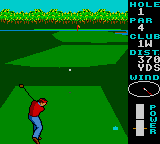
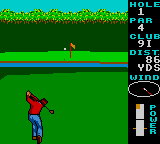
World Class Leaderboard Golf
Well, I've just about got it the way it was before with the new interrupt code; most games work again, but the few that have always given problems (such as Desert Speedtrap) still don't work properly.  I think this is the stage where I have to start trawling through disassemblies to try and work out why they're not working.
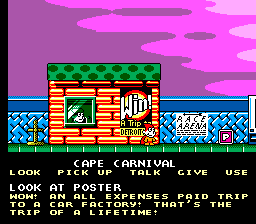
One problem I still haven't got to the bottom of is with the Dizzy games. They either reset when starting a new game or lock up. I'm hoping this is a problem with my implementation of the Codemasters mapper. I guess that The Excellent Dizzy Collection has a simple front-end game selection screen that switches to the requisite ROM page for the selected game, then jumps to the start of that page - in my case this jumps back to the initial Codemasters screen.
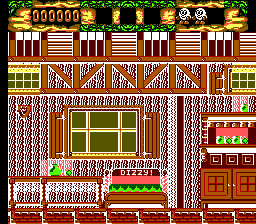
I'm not sure where Fantastic Dizzy's problems originate. It looks like an interrupt problem (maybe the palette should be switched when the VDP has finished with the status bar at the top?), but could also be related to the other Codemasters problems.
Interestingly, Micro Machines (1 and 2) and Cosmic Spacehead - both using the Codemasters ROM mapper - seem to work fine.
Interrupts: A Fresh Start
Thursday, 21st February 2008
I gave in and rewrote all of the Z80's interrupt emulation from scratch, finding some rather horrible bugs in the existing implementation as I went.
Some of the highlights included non-maskable interrupts ignoring the state of the IFF1 flag (this flag is automatically cleared when an interrupt is serviced, and is used to prevent the interrupt handler from being called again before it has finished) and the RETN instruction not copying the state of the IFF2 flag back to IFF1. When non-maskable interrupts are serviced, the state of IFF1 is copied to IFF2 before it gets cleared, the idea being that if you use RETN interrupts are automatically re-enabled on exit of the NMI ISR. (Contrast this with maskable interrupts, where both flags are cleared, and you need an explicit EI to re-enable them).
The HALT instruction (executes NOPs until an interrupt is requested or the CPU is reset) was also completely incorrectly (and bizarrely) implemented. The rewrite just sets a Halted property, which prevents the CPU from fetching or executing any instructions. The interrupt-triggering code simply resets this property.
This has fixed numerous bugs (I'm not sure when they were introduced, as it was all working a while back). It's gone from "not working at all" to "just about working", but some games or demos that rely on precise interrupt timing don't work properly.
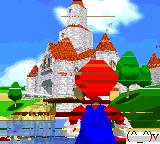
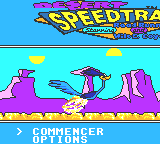
Game Gear Hicolor Demo and Desert Speedtrap
Both problems in the above screenshots relate to line-based interrupts from the VDP (Video Display Processor). Some other games simply hang at startup.